Robux Tax
Calculator
Calculate your Robux earnings after listing — with 30% marketplace fee automatically applied.
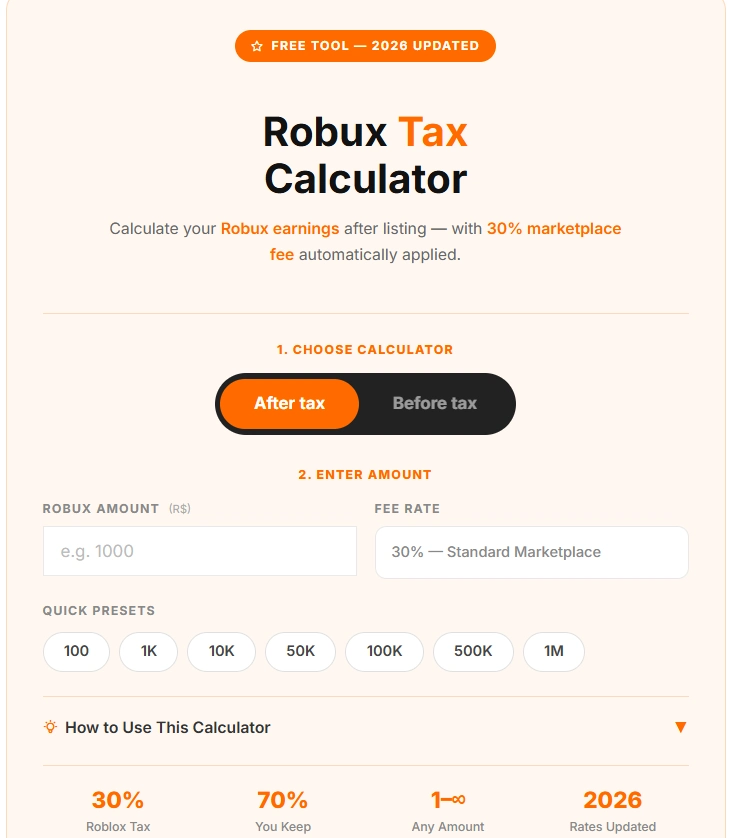
- 1Choose your mode — Select After Tax to see how much you receive after Roblox takes its cut, or Before Tax to find out what price to list so you keep a specific amount.
- 2Enter the Robux amount — Type any amount in the input field and the result updates instantly, or tap a quick preset button to fill it automatically.
- 3Read your result — The breakdown shows your original amount, the 30% fee deducted, and the exact Robux you keep or need to charge.
- 4Note — Roblox always deducts a flat 30% marketplace fee on every sale. You always keep exactly 70% of the listed price.
Related Calculators
💰 Robux & CurrencyRobux Tax Calculator – How Much Robux Do You Actually Keep After the 30% Fee?
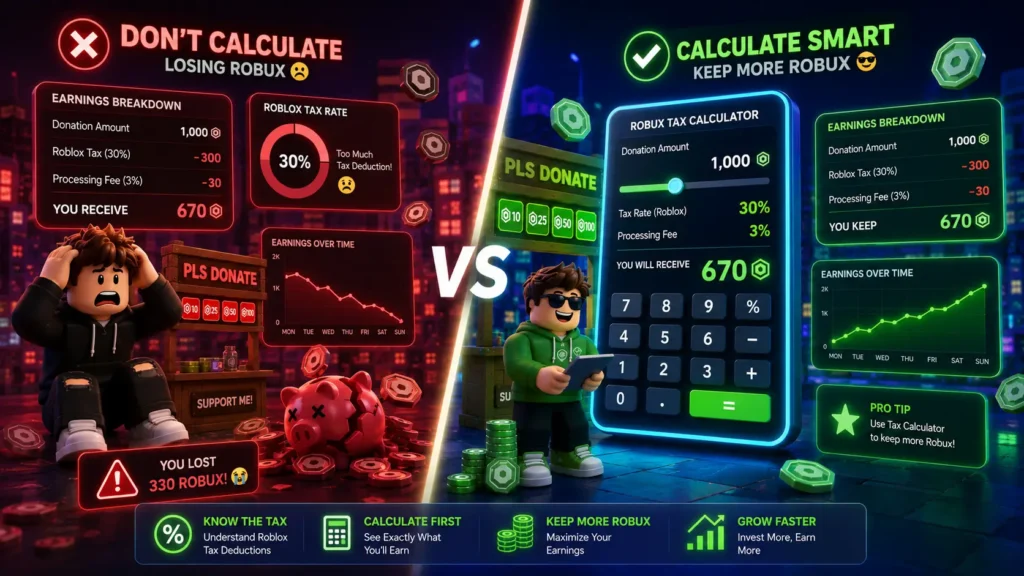
You just made a sale on Roblox. Someone bought your game pass for 1,000 Robux. But when you check your earnings, only 700 Robux shows up. Where did the other 300 go? That’s the Roblox marketplace tax and ignoring taxes may result in a lower than expected number of Robux actually being obtained, affecting your gaming experience. If you’ve never calculated it before, I completely understand how confusing it feels.
Our Robux Tax Calculator on CalculatorKaro.com takes the guesswork out of this. Whether you’re a Roblox developer pricing your game pass, a UGC creator planning a clothing drop, or a group owner managing your Robux earnings this easy, fast & accurate free robux calculator gives you instant results in seconds, making every transaction easier and transparent.
Let me walk you through everything: how the tax works, how to use the calculator, real examples, and the most common mistakes people make. By the end, you’ll price your items with total confidence.
What Is the Robux Tax & What Does This Calculator Do?
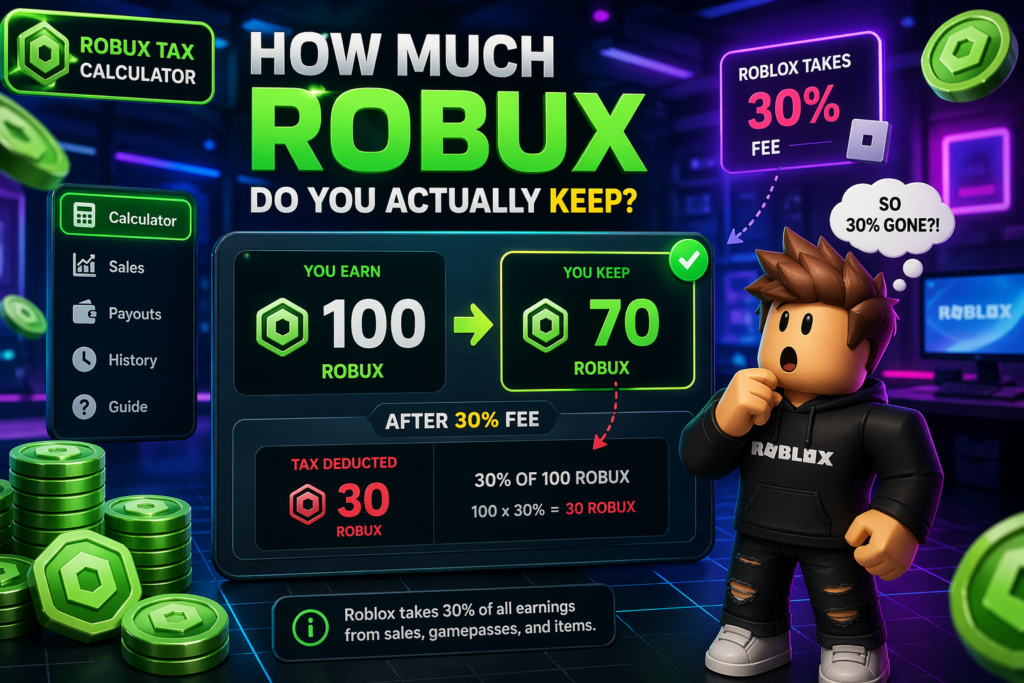
Roblox charges a 30% marketplace fee on every transaction between players on the platform. This applies to game passes, developer products, clothing, accessories, props, various in-game items, private server subscriptions, and most catalog items. When someone buys something from you, Roblox keeps 30% and you receive 70%.
Think of it this way: If you price a game pass at 1,000 Robux, a buyer pays 1,000 Robux but you only receive 700 Robux. The remaining 300 Robux goes to Roblox as their platform fee.
Our Robux Tax Calculator (also called a robux calc or robux converter) solves two problems instantly making it a professional tool built for real pricing decisions:
- Before Tax Mode: Enter your listing price → See exactly how much Robux you’ll receive
- After Tax Mode: Enter how much you want to earn → Get the exact price you should charge
This tool is built for Roblox developers, UGC creators, group owners, and all players who want to understand their earnings without doing the math manually. You can use it with confidence it’s based on the official Roblox tax rate.
official Roblox game pass documentation
How to Use the Robux Tax Calculator -Step by Step
Using the calculator takes less than 30 seconds. Here’s exactly how it works:
Step 1 — Choose Your Mode
Before Tax Mode: Use this if you already know your listing price and want to see your take-home Robux.
After Tax Mode: Use this if you have a target earning in mind and want to know what price to set.
Step 2 — Enter Your Number
Type the Robux amount in the input field. For Before Tax Mode, enter the price you’re listing (e.g., 500 Robux). For After Tax Mode, enter the amount you want to receive (e.g., 350 Robux).
Step 3 — Read Your Result
The calculator instantly calculates how much Robux is being taxed. No button to press. No waiting. Results update in real time.
| Real Example: You want to sell a VIP game pass. You’d like to earn exactly 500 Robux. Enter 500 in After Tax Mode → Calculator shows: Charge 715 Robux. 715 × 0.70 = 500.5 → rounded down = 500 Robux. You keep exactly 500. |
|---|
Step 4 — Use the Result to Set Your Price
Copy the price the calculator gives you and set it exactly in your Roblox Studio game pass or item settings. That’s it — you’re done. Every purchase becomes more hassle-free.
Calculator
Understanding the Results – What Each Output Means
When you use our robux calculator, you’ll see two key numbers:
Your Take-Home Robux (After Tax)
This is how much Roblox will actually deposit into your account. The formula Roblox uses is: floor(listing price × 0.70). The word ‘floor’ means any decimal gets rounded down not rounded to nearest. So 700.9 Robux becomes 700, not 701.
The Price to Charge (Before Tax Result)
This tells you the minimum listing price that will still net you your target amount. Because of Roblox’s rounding, sometimes you need to charge 1 extra Robux to protect your target. Our calculator accounts for this automatically using the correct formula.
| Important: A simple ‘÷ 0.70’ calculation is NOT always accurate due to Roblox’s floor rounding. Always use a proper Robux Tax Calculator like ours to get exact results. |
|---|
Real-World Use Cases for the Robux Tax Calculator
1. Game Developer Pricing a Game Pass
You’re launching a new obby game and want to offer a VIP pass. You need at least 700 Robux per sale to cover your development time. Enter 700 in After Tax Mode the calculator tells you to charge 1,000 Robux. Set that price in Roblox Studio and you’re protected.
2. UGC Creator Planning a Clothing Drop
You’re releasing a limited t-shirt and want to price it at 250 Robux. Before Tax Mode shows you’ll earn 175 Robux per sale. If you plan to sell 100 units, that’s 17,500 Robux total. Knowing this upfront helps you decide if the price is worth it.
3. Group Owner Calculating Revenue
Your Roblox group sells developer products inside your game. You want to track how much Robux the group actually earns after tax across multiple products. Run each price through the robux calc to get accurate per-product earnings. This is a great convenience for all players who manage group funds.
4. Before Buying or Trading In-Game Items
If you want to buy Robux or trade in-game items like clothing, props, or accessories, it’s necessary to use our Robux Tax Calculator so you know exactly how much Robux you need or how much you’ll actually receive before buying or selling. Just a click, and make your gaming experience completely hassle-free.
5. Player Converting Robux to USD
You’re curious: how much is 60k Robux to USD, or what is 2500 Robux in USD? While our calculator focuses on tax calculation, the Robux to USD calculator can help you convert earnings to real-world dollar value using DevEx rates.
Common Mistakes & Misconceptions About Robux Tax
Mistake 1 — Thinking the Tax Only Applies to Big Sellers
Many new developers assume the 30% fee only kicks in after a certain amount. That’s not true. The 30% marketplace fee applies to every single sale, starting from the very first Robux earned. There is no minimum threshold.
Mistake 2 — Using Simple Division and Getting Wrong Results
The most common error: someone wants 1,000 Robux, so they calculate 1,000 ÷ 0.70 = 1,428.57 and set their price at 1,428 Robux. But Roblox’s floor rounding means 1,428 × 0.70 = 999.6 you’d receive only 999 Robux, not 1,000. You actually need to charge 1,429 Robux. Our calculator handles this automatically so you can use it with confidence.
Mistake 3 — Forgetting That Premium Payouts Are NOT Taxed
Engagement-based Premium Payouts Robux earned when Roblox Premium subscribers play your game are not subject to the 30% marketplace fee. This is the only Robux income stream that bypasses the tax. Don’t confuse Premium Payouts with direct sales.
Mistake 4 — Assuming Group Sales Work Differently
Some group owners believe sales through a Roblox Group have a different tax rate. They don’t. All marketplace sales whether personal or through a group are subject to the standard 30% fee.
When NOT to Rely Only on an Online Robux Calculator
Our Robux Tax Calculator is accurate for standard marketplace sales. But there are a few situations where you should go beyond a simple online tool:
- DevEx Conversion: If you’re converting Robux to real money through Developer Exchange, the rates and eligibility rules change periodically. Always check the official Roblox DevEx documentation for the latest rates before making financial decisions.
- Tax Reporting: If you earn significant income through Roblox as a developer, consult a tax professional in your country. Real-world income from Roblox DevEx may be taxable depending on your local laws.
- Roblox Policy Changes: Roblox can update its fee structure. Always verify the current rate on the official Roblox support pages if you haven’t used the platform in a while.
An online calculator is a great starting point but for business-level decisions and real-money conversions, always double-check with official sources. – official Roblox DevEx documentation
I Know How Frustrating This Feels – You’re Not Alone
Here’s something I hear from Roblox creators all the time: “I worked so hard on my game pass, priced it what I thought was fair, and then my earnings were way less than I expected. I felt cheated.”
I completely understand. The 30% tax isn’t always obvious when you’re just starting out on Roblox. Most new developers discover it the hard way — after their first sale. And then the reverse calculation (figuring out what price to actually charge) feels like a maths puzzle you didn’t sign up for.
That’s exactly why this calculator exists. You shouldn’t have to do manual calculations every time you price an item especially for every transaction between players. Use our robux calc, set your price correctly once, and get back to what you love.
Tips to Get the Most Accurate Results
Always use whole numbers Roblox only deals in whole Robux, so decimals are irrelevant. Use After Tax Mode when you have a target earning it’s the more important mode for pricing decisions. Double-check by running the result back through Before Tax Mode if the output matches your target, you’re good. If you’re pricing multiple items, run each one separately don’t assume the same price works across different items. For ‘Pls Donate’ games specifically, note that the fee structure can be 40% in some contexts verify within the game’s documentation.
Frequently Asked Questions (FAQ)
How much is 2,500 Robux in USD?
At the standard Roblox purchase rate, 2,500 Robux costs approximately $19.99 USD (based on the 2,000 Robux for $19.99 package prices vary by region and package). For DevEx conversion (earning money from Roblox), the rate is different and typically lower. Always check the official Roblox pricing page for the most current rates.
How much Robux is $15 dollars?
With $15 USD, you can typically purchase around 1,200–1,700 Robux depending on the package you choose and whether you have a Roblox Premium subscription. Premium members get bonus Robux on purchases. Check the Roblox website for the exact current package pricing in your region.
Did Roblox remove $1 Robux?
Yes, Roblox discontinued its $0.99 and $1.99 Robux packages in 2023, removing the lowest entry-level purchase options. The minimum Robux purchase tier is now higher. This decision was made by Roblox Corporation as part of their pricing restructure. For the latest package options, visit the official Roblox website.
How much is 17,000 Robux in dollars?
17,000 Robux purchased directly through Roblox would cost approximately $170–$200 USD depending on regional pricing and available packages. However, if you’re asking about DevEx earnings converting 17,000 Robux you earned as a developer back to USD the rate is much lower (approximately $0.0035 per Robux), meaning 17,000 Robux would convert to roughly $59.50 USD through DevEx, subject to eligibility requirements.
What is 60k Robux to USD?
60,000 Robux purchased through Roblox would cost around $600 USD at standard rates. As a DevEx earning, 60,000 Robux equals approximately $210 USD. The two rates are very different buying Robux costs significantly more per Robux than earning them through DevEx.
How does the 30% tax apply to group sales?
The 30% marketplace fee applies equally to group sales. When a sale is made through a Roblox group, Roblox takes its 30% first. The remaining 70% goes into the group funds, which the group owner can then manage or distribute to members.
Does the tax apply to free items?
No. The 30% tax only applies to sales transactions where Robux changes hands between users. Free items and free game passes have no tax because no Robux is exchanged.
What to Do After Using the Calculator
Once you have your result, here’s your action plan:
- Set your price in Roblox Studio — go to your game pass, developer product, or catalog item and enter the exact price the calculator recommended.
- Test a purchase — if possible, test-buy the item to confirm the displayed price and your received Robux match what the calculator predicted.
- Track your earnings — after sales start coming in, compare your actual Robux received with your calculator estimates.
- Revisit pricing regularly — as your game grows or Roblox updates its policies, re-run your prices through the calculator to stay optimized.
Here’s the thing: pricing mistakes compound. If you underprice by 100 Robux per sale across 500 sales, you lose 50,000 Robux. Getting this right from the start matters — and our professional tool makes it easy, fast & accurate every time.
Share Your Experience
Have you used our Robux Tax Calculator on CalculatorKaro.com? Did it help you price your game pass correctly or figure out your earnings after tax?
We’d love to hear your story. Drop a comment below ,whether you’re a new developer just launching your first game or a veteran creator optimizing your UGC store, your experience could help someone else in the Roblox community going through the same thing.
And if you found this calculator useful, share it with your Roblox friends or Discord community. The more creators who price correctly, the stronger the Roblox economy gets for everyone.
How This Article Was Created
This article was written using verified information from official Roblox platform documentation, established knowledge of the Roblox marketplace fee structure, and real-world pricing logic used by Roblox developers. All tax calculations referenced in this article are based on Roblox’s documented 30% marketplace fee and their floor-rounding formula, which is publicly available in Roblox’s creator resources. Our content team reviewed this article for factual accuracy before publishing. We update our content whenever Roblox makes changes to its fee structure or pricing policies.